34. [AWS] Avoid Paying Unexpected Costs
Pricing - Be Careful!
From this point on, AWS will charge you for running your EMR cluster. You can find the details on the EMR Pricing here. If you run your cluster for a week with the settings specified earlier (3 instances of m3.xlarge), you should expect costs to be around $30, which should be covered in the amount of free promotional credits you have received from AWS as a Udacity student.
Most importantly, remember to terminate your cluster when you are done. Otherwise, your cluster might run for a day, week, month, or longer without you remembering, and you’ll wind up with a large bill!
Terminate Your Cluster
You can terminate your cluster while still keeping the Jupyter notebook you created. In EMR, your EMR cluster and EMR notebook are decoupled (so you can reattach your notebook to a different cluster at any time)! To terminate your cluster, click "Clusters" in the menu on the left, check the box next to your cluster to select, and click the "Terminate" button.

Change Cluster for Notebook
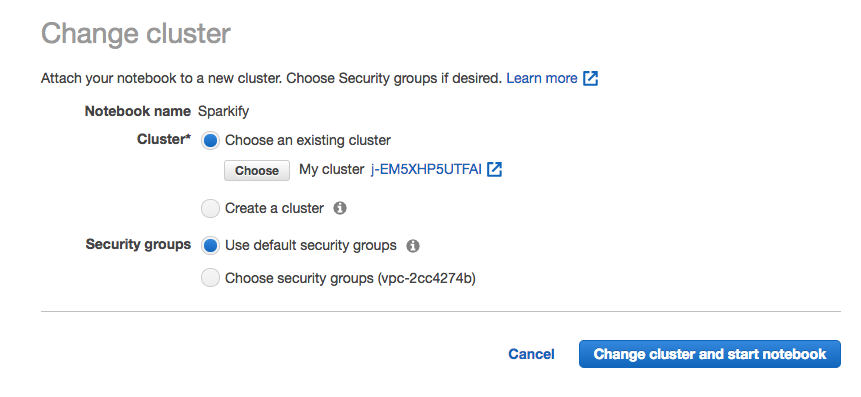
If you still have a notebook on EMR and terminated the cluster it was connected to, you can still run that notebook at any time by creating another cluster (following the instructions in the previous section). Once you have the new cluster launched and in "waiting" status, click "Notebooks" in the menu on the left and click on the name of your notebook. Then click the "Change cluster" button.
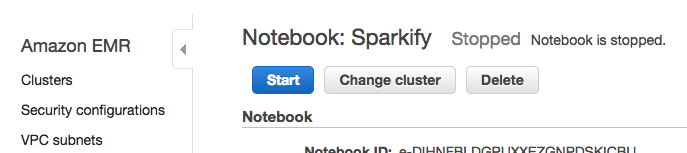
Select your new cluster. Once your notebook reaches "Ready" status, you can now run this notebook on your new cluster.
Delete Your Notebook
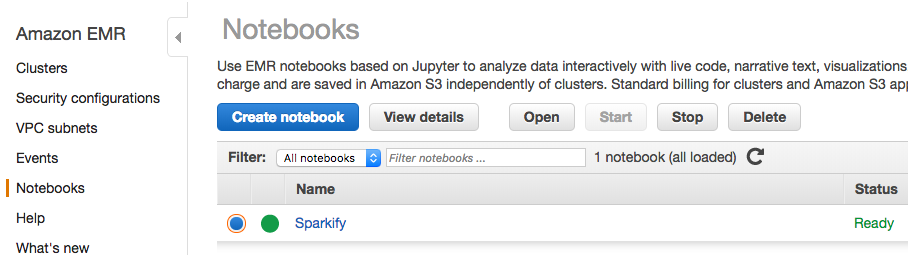
When you've finished with your project and downloaded your notebook, you can delete your notebook from EMR by selecting "Notebooks" in the menu on the left, selecting your notebook, and then clicking "Delete." Make sure to terminate the clusters you launched for this as well.
Delete S3 buckets
AWS charges primarily for running instances, so most of the charges will cease once you stop the cluster. However, there are smaller storage charges that continue to accrue if you don't delete your buckets. To delete your buckets, go to the Amazon S3 console. Choose the bucket you want to delete from the list, so that the whole bucket row is selected. Choose delete bucket, type the name of the bucket, and click "Confirm."
For more information about deleting folders and buckets, go to How Do I Delete an S3 Bucket in the Amazon Simple Storage Service Getting Started Guide.
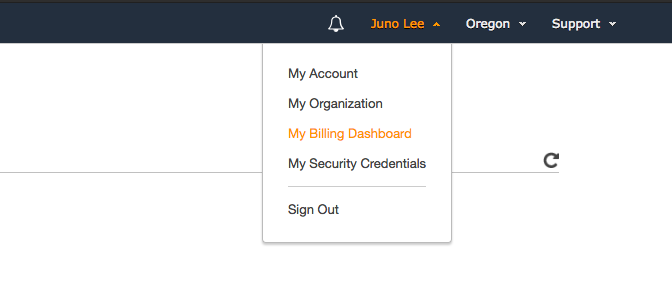
You can view your billing information at any time by clicking on your account name on the upper right corner of the console and go to My Billing Dashboard.